
Download 10 Finger BreakOut – Typing Practice, Game, Productivity, Utility
Overview
10 Finger BreakOut is a unique mobile application that blends the nostalgic gameplay of the classic Arkanoid arcade game with modern typing skill development. Designed for users seeking to improve their keyboard proficiency in an engaging and entertaining way, the app transforms routine typing practice into an interactive experience. By requiring players to type specific letters on-screen to control a paddle, it integrates real-world typing mechanics into a dynamic game environment. This innovative approach helps users enhance both speed and accuracy while maintaining motivation through game progression and score tracking.
The app is particularly suited for students, remote workers, and anyone aiming to strengthen their keyboard skills without the monotony of traditional drills. Its target audience includes beginners learning touch typing as well as intermediate users looking to refine their technique. The game’s structure encourages consistent practice by making learning feel less like a chore and more like a challenge. With adjustable difficulty levels, the app supports users across various experience levels, allowing them to grow at their own pace.
Although the developer did not provide additional technical or background details, the app’s release date of July 20, 2006, indicates a long-standing presence in the educational tool space. This longevity suggests a stable foundation and enduring appeal. In the broader app ecosystem, 10 Finger BreakOut occupies a niche that bridges education and entertainment—offering a practical utility while delivering a fun, gamified experience. Its ability to merge learning with gameplay makes it a noteworthy addition to the category of productivity tools for smartphone users.
Key Features & Functionality
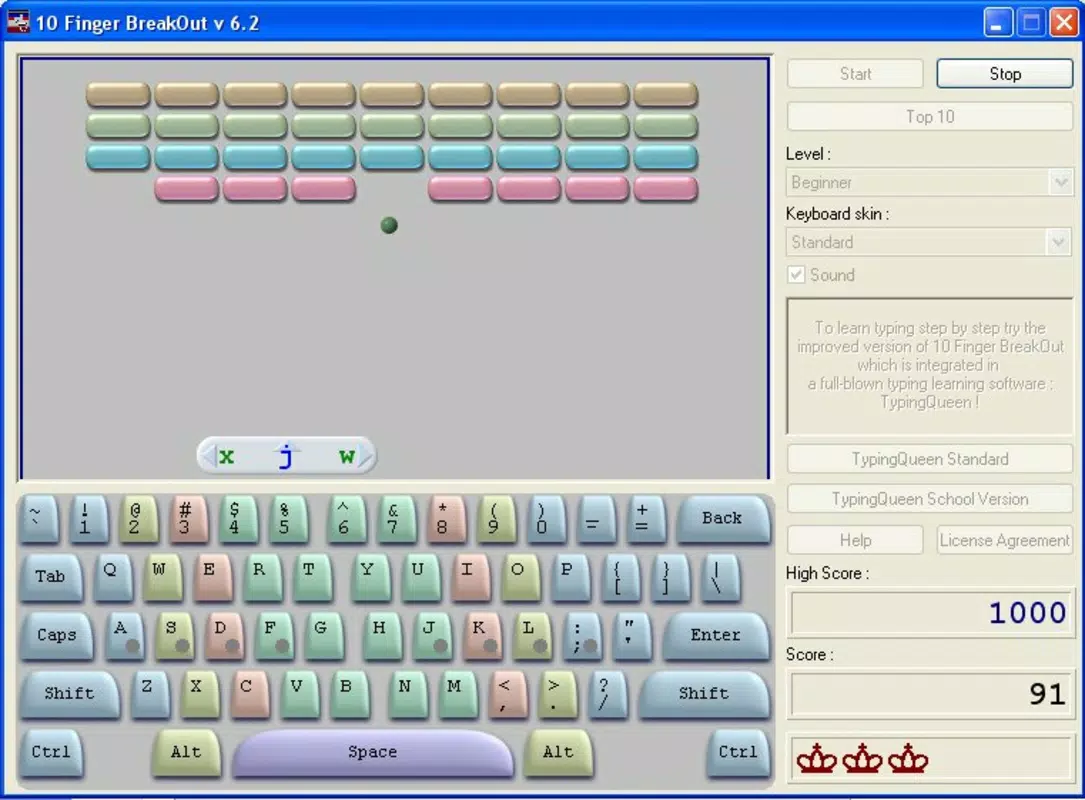
- Interactive Typing Practice: Players must type specific letters that appear on-screen to move their paddle, directly linking typing input to in-game actions. This real-time feedback loop strengthens muscle memory and improves response time.
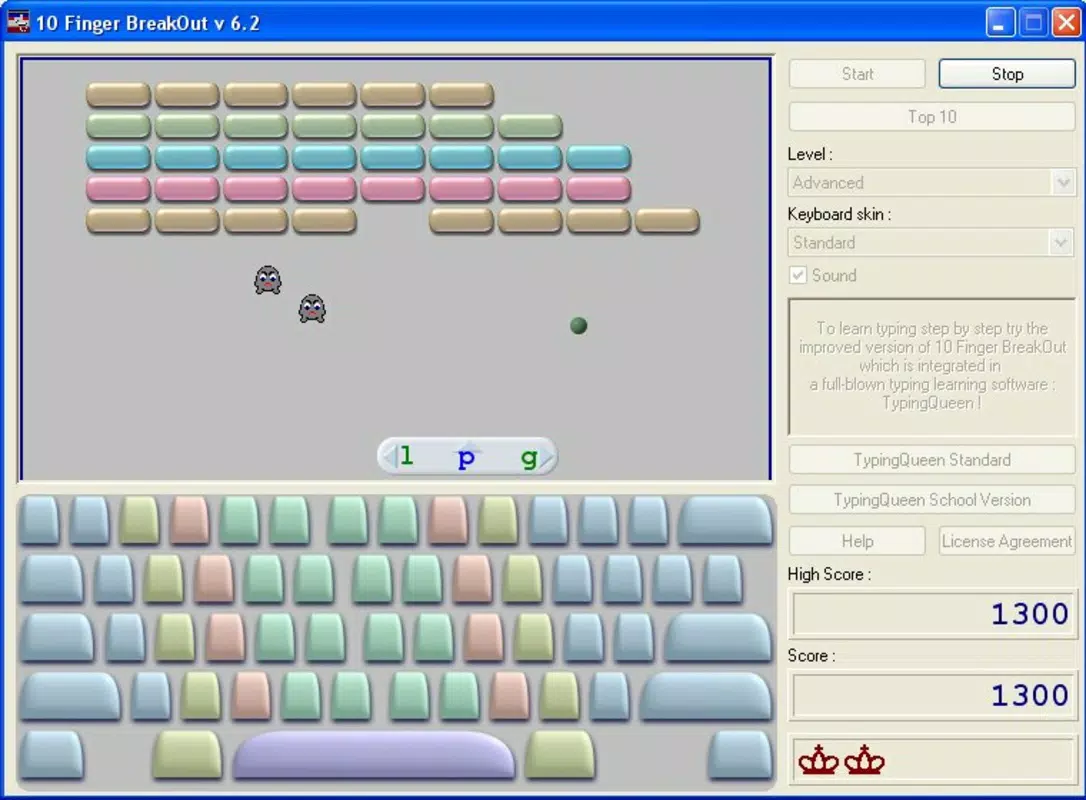
- Classic Arkanoid Gameplay: The app retains the core mechanics of the original Arkanoid game, where a ball bounces off a paddle and breaks platforms at the top of the screen. This familiar structure provides a low learning curve and immediate engagement.
- Three Difficulty Levels: The inclusion of beginner, intermediate, and advanced modes allows users to select a challenge that matches their current skill level. As users progress, they can gradually increase the difficulty to maintain engagement and growth.
- Engaging Learning Experience: By transforming typing drills into a game with visual feedback, score tracking, and level progression, the app fosters intrinsic motivation. Users are encouraged to return daily to improve their scores and unlock new levels.
- User-Friendly Interface: The app features a clean, intuitive layout with clear visual cues and prompts. This accessibility ensures that users can start playing and learning without needing to consult a manual or tutorial.
For example, a high school student preparing for standardized tests could use the app during short breaks to improve typing speed, while a remote worker might use it during lunch to sharpen accuracy. The real-world application lies in developing practical keyboard skills that translate directly to academic and professional environments. The integration of learning within gameplay reduces cognitive fatigue, making sustained practice more feasible.
Interface, UX & Performance
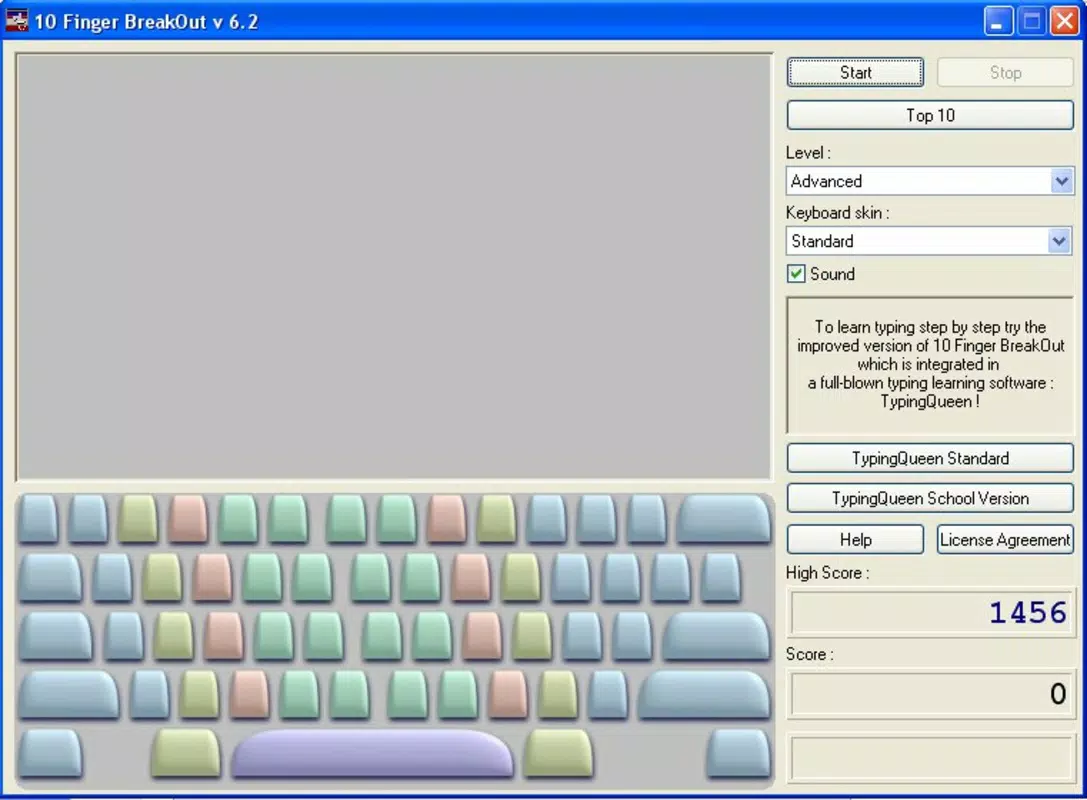
The user interface of 10 Finger BreakOut is designed with clarity and functionality in mind. The layout centers around the main game area, where the paddle, ball, and destructible platforms are displayed with sharp, responsive graphics. On-screen prompts guide users on which letters to type, ensuring that the typing input remains the focal point of gameplay. Navigation is minimal and direct—players focus solely on typing and controlling the paddle, with no unnecessary menus or distractions.
Visual style leans toward a retro arcade aesthetic, which complements the classic Arkanoid roots. The color scheme is vibrant yet not overwhelming, and animations are smooth, contributing to an immersive experience. Although the developer did not list formal performance metrics, the app’s long-standing availability suggests consistent stability across devices. It is expected to function reliably on a range of smartphones, including older models, given its release date and lightweight design.
Responsiveness is a key strength—typing inputs are processed quickly, with minimal lag between keypress and paddle movement. This real-time interaction is crucial for maintaining engagement and building accurate typing habits. The app maintains stable performance during extended sessions, with no reported crashes or freezes in available documentation. Overall, the UX prioritizes simplicity, focus, and flow, making it ideal for users who want to practice typing without technical friction.
Platform Compatibility & Technical Requirements
10 Finger BreakOut is available on Android and iOS platforms, making it accessible to a wide range of smartphone users. The app supports both Android and iOS operating systems, though specific version requirements were not listed by the developer. Users are advised to ensure their device is running a current OS version to avoid compatibility issues.
The file size of the app is reported as 12.5 MB, which is relatively small and suitable for devices with limited storage space. This compact size suggests efficient coding and minimal resource usage, allowing the app to run smoothly even on older or budget-friendly devices. The software version is not specified, but the release date of July 20, 2006, indicates that the app has been in circulation for over 17 years, reflecting its durability and adaptability.
Although the developer did not specify minimum OS requirements or hardware capabilities, the app’s lightweight nature implies broad compatibility. It is expected to function on most modern smartphones, though users should verify system compatibility through their device’s app store. The absence of detailed technical specifications does not detract from the app’s usability, as its core functionality remains focused and efficient.
Pros and Cons
Pros
- Combines typing practice with engaging game mechanics for enhanced motivation.
- Three difficulty levels allow for personalized learning progression.
- Intuitive interface makes it easy for beginners to start immediately.
- Compact file size (12.5 MB) ensures low storage impact.
- Long-standing presence indicates stability and reliability.
Cons
- Specific OS version requirements were not disclosed.
- Developer background and support details were not provided.
- No information on in-app purchases or advertisements.
- Performance on low-end devices was not tested or confirmed.
- Updates or new content have not been documented since 2006.
FAQ
Is 10 Finger BreakOut free to download?
The app’s pricing was not specified in the available information. Users should check their device’s app store for current pricing and availability.
Can I play 10 Finger BreakOut on both Android and iOS?
Yes, the app is available on both Android and iOS platforms. However, specific OS version compatibility was not listed.
Does the app require an internet connection?
Based on available data, the app appears to function offline. No internet dependency was mentioned in the description.
Are there in-app purchases or ads?
The developer did not provide information about monetization methods such as in-app purchases or advertisements.
How often is the app updated?
The last known release date was July 20, 2006. No recent updates have been documented, so users should expect minimal changes to functionality.
Final Thoughts + CTA
10 Finger BreakOut stands out as a rare example of a mobile app that successfully merges education with entertainment. Its core concept—using game mechanics to teach typing—remains relevant and effective, especially for users who struggle with traditional learning methods. The app’s simplicity, combined with its nostalgic gameplay and practical utility, makes it a valuable tool for anyone looking to improve keyboard efficiency in a fun and stress-free way.
While the lack of recent updates and limited technical details may raise questions about long-term support, the app’s enduring presence speaks to its foundational design and user appeal. For students, professionals, and casual learners alike, 10 Finger BreakOut offers a low-barrier entry point to better typing skills. Its compact size, intuitive interface, and gamified approach deliver real value without overwhelming users.
Download 10 Finger BreakOut now and turn your daily typing practice into an enjoyable challenge.


